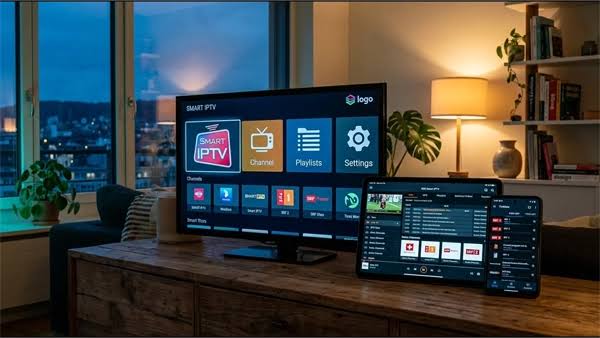
Choosing an IPTV provider starts with understanding how the household watches TV. Picture quality matters, but so do favorite channels, replay options, and the number of people watching at once. A short set of questions before subscribing can make the comparison easier.
What channels and languages are actually included?
Start with the channel list. If the household needs both English and French audio or subtitles, ask how those options are marked and whether French-language channels have program listings. Make a short list of essential news, sports, kids programming, and movie channels. Ask for a current lineup and, if a preview is offered, use it to explore those choices.
Sports fans should ask directly what the base plan covers and how big games appear on the night. A good answer names the competitions and explains schedule changes in plain terms.
It also helps to ask how often the lineup changes and how those changes are shared. Clear updates say a lot about what to expect in daily use.
What is included beyond live channels?
On-demand libraries and replay tools help determine whether a plan can replace cable, even if live channels get most of the attention. Ask what is part of the base price and what needs an add-on.
How current is the on-demand library?
Video on demand varies widely between providers. Some libraries hold recent movies and full series runs with correct season and episode order, while others change rarely and skew older. Ask how often new titles are added and how missing titles can be requested. Open the library during a trial and check programs the household regularly watches.
Can missed shows be replayed?
Catch-up TV lets viewers replay a show for a set window after it airs, but coverage can differ by channel. Ask which channels support it and how far back programs stay available. Also ask whether playback can be paused and resumed across devices. For busy homes, this can matter more than extra channels.
Is the guide accurate?
The electronic program guide is the grid that shows what is on now and next. An inaccurate guide makes browsing and planning difficult. During a trial, compare the guide against actual playback in the evening and check start times and show titles. A usable guide and replay menu deserve a place on the comparison checklist alongside channel totals.
Which devices and apps are supported?
Ask which devices are officially supported before paying. A household may use a streaming stick, a smart TV, and phones, and compatibility can differ across those devices. Ask whether there is a dedicated app in the device app store and how setup works on the main TV.
Ask how the app is installed and updated, including whether updates happen automatically or need manual steps. Find out what login method is used and what setup help is available. Clear instructions are particularly useful when different family members use different devices.
Readers comparing shortlists can review Voyage IPTV alongside one or two other options to see how device support and stream limits compare in practice. Side-by-side notes make gaps easier to spot.
Ask about parental locks and subtitle settings as well. Try them on the main TV, since problems with small controls can cause daily friction.
How many screens can watch at once?
Simultaneous streams decide whether one plan covers a whole home. Ask how many streams can run at the same time and whether there is a separate cap on registered devices. These limits are easy to confuse.
This is also the point to test 4K Ultra HD streaming claims against the home connection. Ask what speed is suggested for steady HD and 4K viewing and whether quality adjusts when speed dips. Then test on the actual TV at peak time. If playback differs between morning and evening, note the time, channel, and device so support can help investigate.
Don’t test only once. Try a live game and a replay on different days, using a wired connection if Wi-Fi struggles. A straight answer about bandwidth needs is more useful than a promise that everything is always in 4K.
What are the terms for billing and support?
Price means little without clear terms. Ask how long the plan lasts and how cancellation works. Ask whether payment is month to month or prepaid for a longer term and get the refund policy in plain language before paying.
Ask whether a trial or preview is available and how it works. If offered, use that time on the home network with the devices the household will keep. Test evening sports and weekend movies rather than sample clips, since peak hours reveal the most.
Support matters when something fails mid-game. Ask how to reach help and what response time to expect in the evening and on weekends. Live chat and ticket help are common, so ask which one is monitored when viewing peaks. Also ask what details to send with a report, such as channel name and app version.
Keep notes from each answer. After two or three comparisons, the choice is often clear. The right plan fits the home and spells out billing and help without fine print.